Navigating the Mobile App
Mobile App User Guide
The official AFREhealth Conference Mobile App puts the agenda, networking, and conference updates right in your pocket. Follow this simple guide to get started.
Before You Begin: Download the App
Download the AFREhealth Conference App, or update it if you already have it installed, from your device’s app store:
Open the app & get started
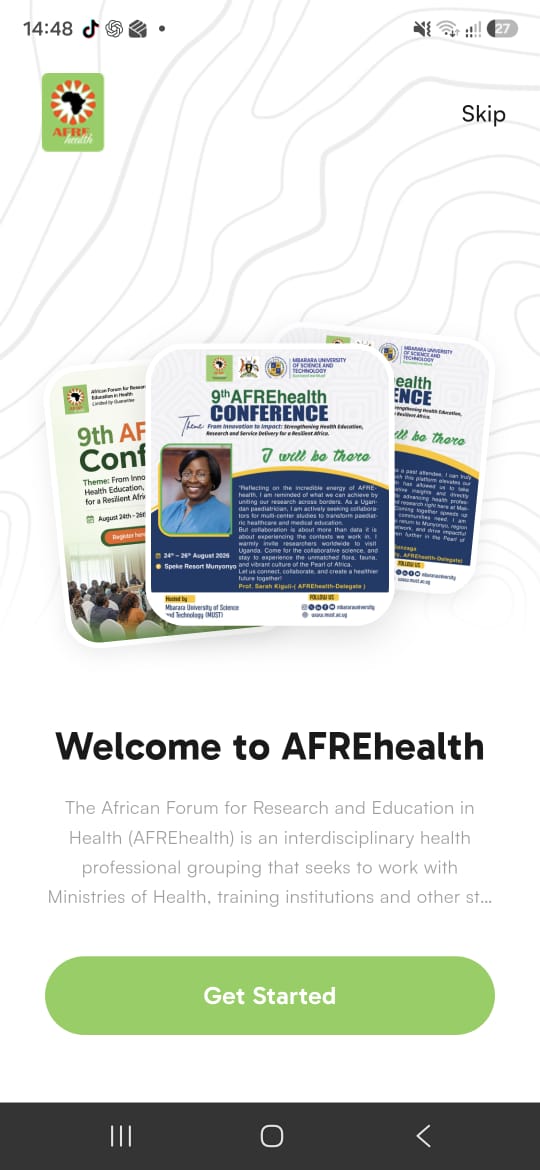
Once installed, open the app. You’ll be welcomed with a brief introduction to AFREhealth. Tap Get Started to continue (or Skip to move ahead).
Log in with your registered email
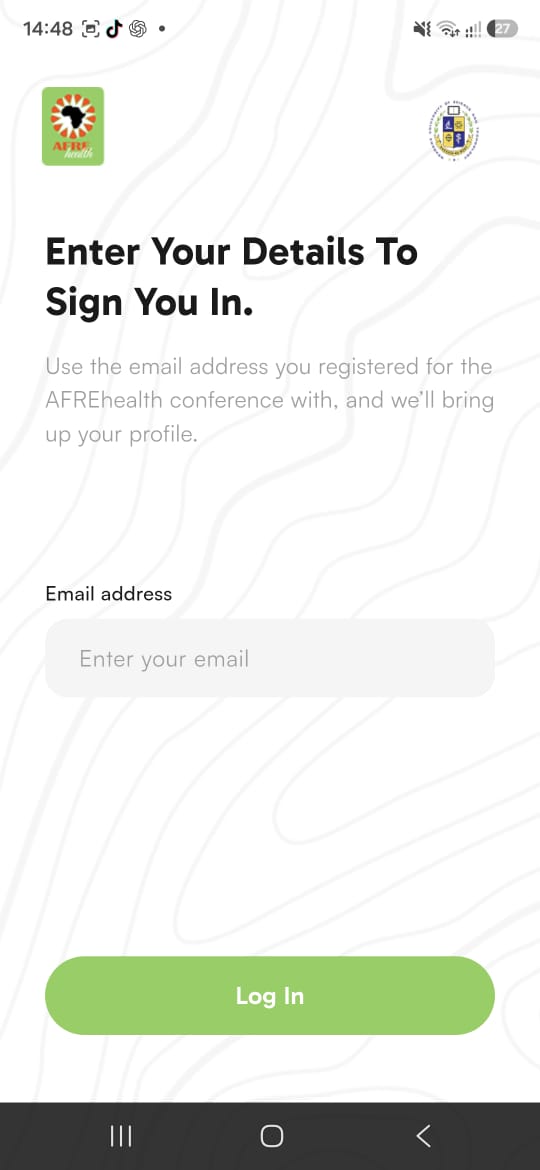
On the sign-in screen, enter the email address you used to register for the conference, then tap Log In. The app will automatically bring up your profile.
Explore your home dashboard
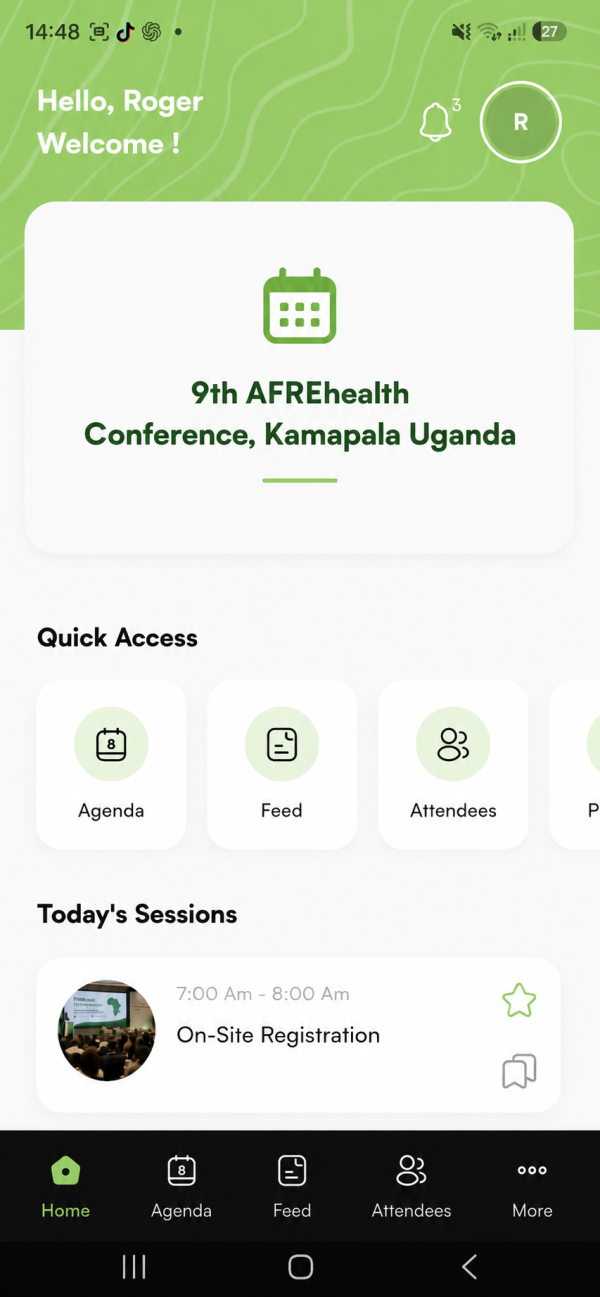
After logging in, you’ll land on the home screen. From here you can access Quick Access shortcuts and the bottom menu — including Agenda, Feed, Attendees, Partners, and More. You’ll also see Today’s Sessions at a glance.
Browse the Agenda
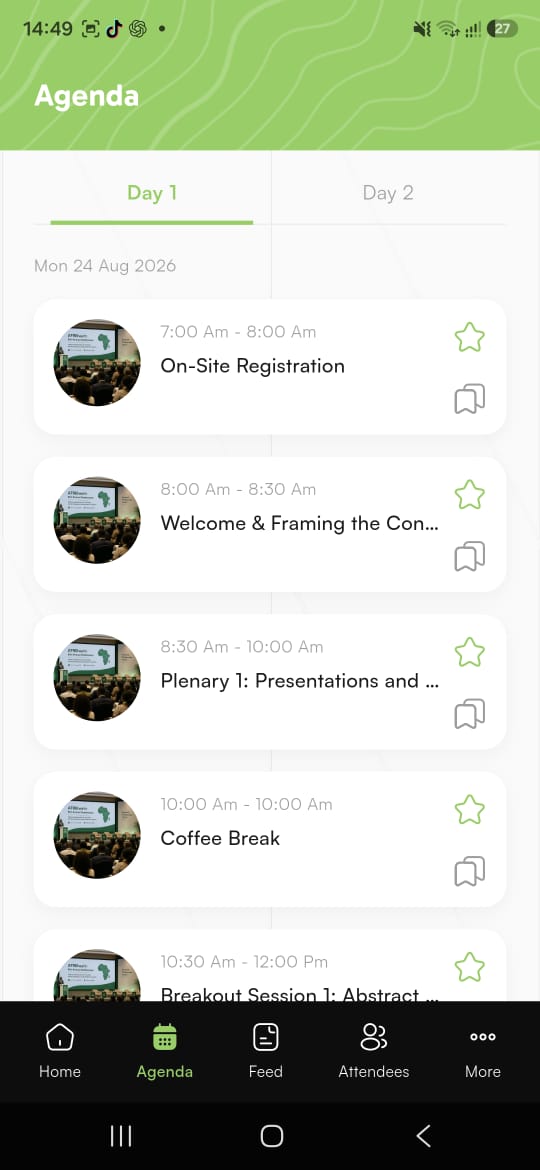
Tap Agenda to view the full conference programme. Use the tabs at the top to toggle between Day 1, Day 2, and Day 3. Tap the ★ star to bookmark sessions you don’t want to miss.
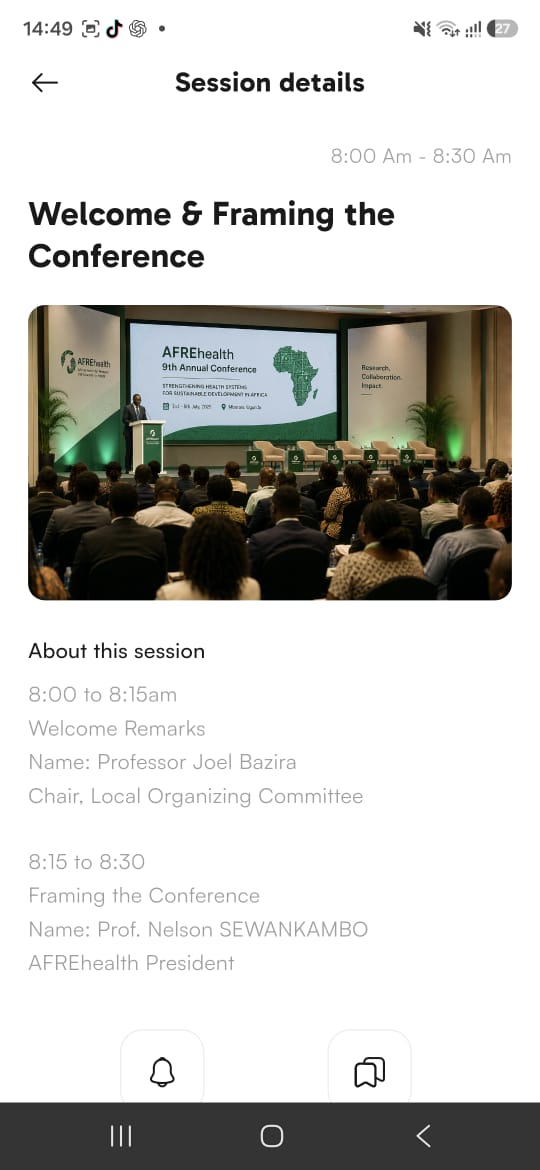
View session details
Tap any agenda item to open its Session Details — including the time, description, speakers, and their presentation topics. This is where you’ll find the full information for each activity on the programme.
- Use the ★ star to build your personal schedule of favourite sessions.
- Check the Feed regularly for announcements and updates during the conference.
- Visit Attendees to connect and network with fellow delegates.
- Explore Partners to learn about our sponsors and exhibitors.
- Enable notifications so you never miss an important update.
If you have trouble downloading or logging into the app, our team is here to help.
Contact Support